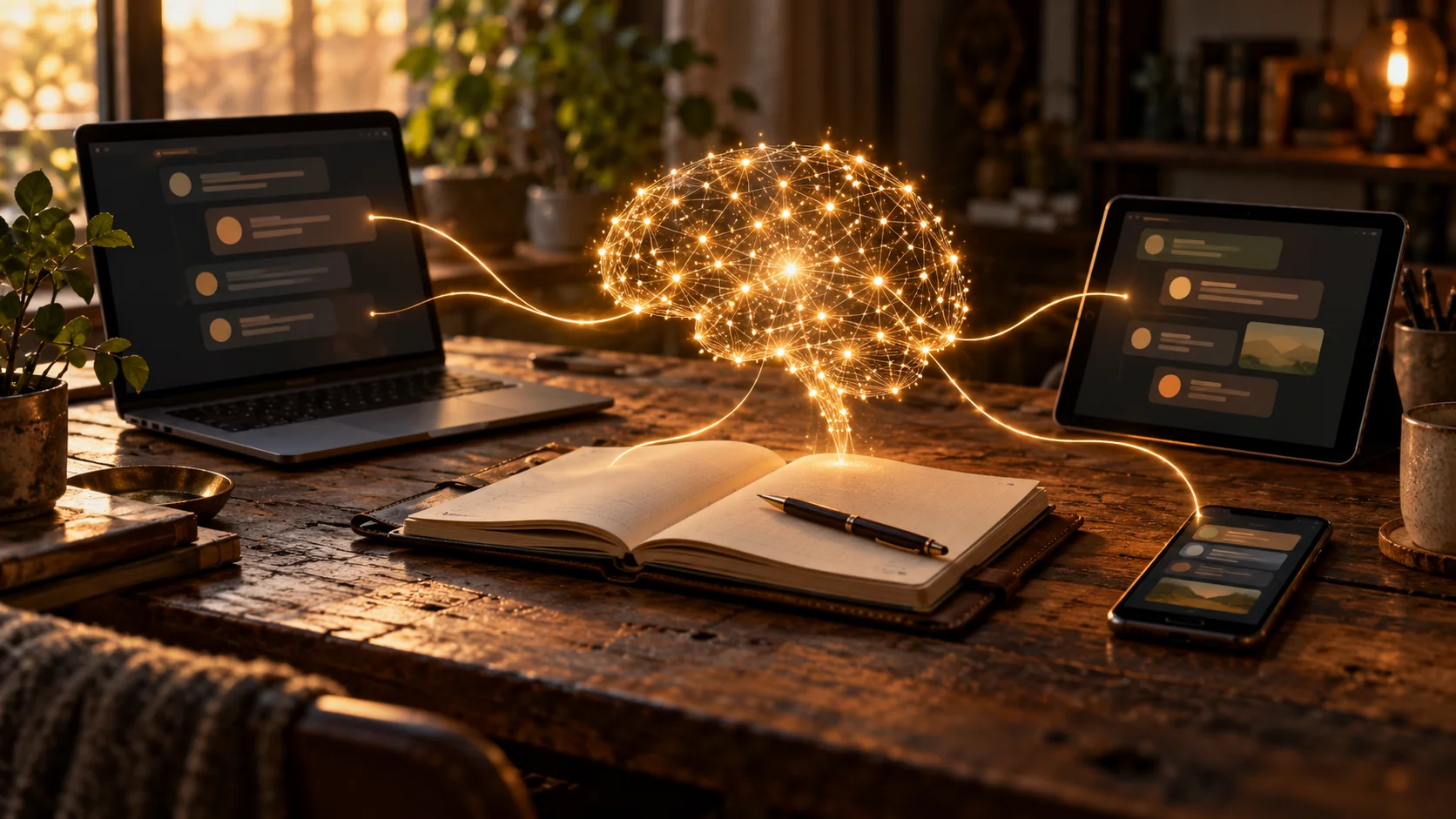
Too many AIs, only one of me. That was the problem I kept coming back to.
I was using different AI assistants to build websites, explore app ideas, research problems and write about what I was learning. Each helped me in a different way. Each also held a different piece of the story.
Imagine working with a team where everyone sits in a separate room. You explain something to one person, take their answer to the next room, explain the background again, then carry the next suggestion back. That was me, except the walking was copying and pasting.
I wanted a meeting room. Somewhere our information could stay together, so every new conversation didn't begin with me carrying the whole project through the door.
This is how that thought started becoming an app.
First, somewhere to put the information
My first approach used Google Drive and the connectors available to the AI tools. I gathered information from the separate conversations: what we were building, what we had already discussed, the decisions we had made and the gaps each assistant still had.
That included my ZeroWic voice, previous posts, writing rules, SEO guidance and the history behind the projects. Transcripts mattered too. Keeping my original words gave us something to return to when a summary missed part of what I meant.
There is a difference between sharing a folder and sharing an understanding. Putting the information in Drive gave us a common place to look. We still had to read it, compare it and work out what was missing.
I also started shared chat documents where the team could contribute to the same discussion. One suggestion could be questioned or developed by another assistant. I could follow the different views and decide what made sense for the project.
When I say team, I mean the AI assistants I work with. Jess helps with writing, interviews and images. Rowan helps organise the technical thinking. Chuck implements and deploys the work. Bruce helps with research. I gave them roles because I wanted to use the different abilities I found useful, instead of moving the same task from one AI to another and starting again.
The idea and direction come from me. Finding ways to make it work is something we do together.

Useful, but getting difficult to follow
The shared documents helped. They also showed me what I wanted to change.
As the discussions grew, information became mixed together. Who was talking to whom? Which answer was the latest? Had everyone read the change? Was something a suggestion, or had I actually agreed to it?
We started adding rules for dates, times, authors and read confirmations. Those details helped us follow the conversations, but I still found it difficult to see the work clearly.
I could gather a lot of information. Finding the right piece and understanding its state was another job.
That was the point where I wanted my own app. I wanted to organise the work in a way that made sense to me, with screens and rules we could change as we learned.
I know there are existing tools for connecting AI services. I still use existing AI models and development tools myself. But I wanted more of the workflow inside my own system, with fewer separate apps to manage.
I also wanted to develop my own learning process for the Brain. That is an important part of the project, and it deserves its own article.

Turning the shared folder into an application
We began building the Brain around the work it needed to hold.
An idea needed its original words. A post needed its own versions. A decision needed a clear status. Project information needed somewhere to belong.
For example, one subject can become a Reflection, an AI article and an Ideas page, as well as social posts. They belong together, but they do different jobs. I need to see which version I am reading and which one still needs work.
The Brain groups that related writing together. The original idea remains the starting point, while each platform has its own draft and history.
The first application tests happened before an AI was connected directly to it. We needed to check the app itself: could it hold the work, could I find it, and did the actions on the screen make sense?
That distinction matters. A working app and a connected AI workflow are two different stages.
A little of what is underneath
We started with a local prototype, then changed the server-side application to Python with Flask. SQLite holds the stored records, and Preact with TypeScript provides the interface. Chuck's build reports record the Python change and first application deployment on 28 October.
Those names mean different things. Python is a programming language, and Flask helps organise the application that handles requests on the server. SQLite stores the structured information. Preact helps build the screens, with TypeScript used in the interface code.
In everyday use, I see a screen and open a post. Behind that, the interface requests the relevant information from the application, which reads the stored records and sends them back.
We moved the app onto a server so I could use it from my connected devices without keeping the work tied to one computer. Having it available on my phone is part of making it useful in my actual day.
The app is still being developed. These are the foundations supporting the work, not a claim that every feature I have imagined is finished.
Giving the AIs a way to read it
The next stage was the AI connection.
We built an MCP server as a way for supported AI assistants to request information from the Brain. In this setup, the connector gives an assistant specific tools for finding and reading things such as the rules, project records and article drafts.
That changes a familiar part of the conversation. I can ask Jess to look at a particular post, and she can retrieve it from the Brain rather than asking me to paste the whole thing into our chat.
We have now used that read connection during work on this article. It is a small example, but it is the kind of repeated task I wanted to make easier.
For this stage, I have asked Jess to treat the Brain as read-only and keep the rewritten article in Google Drive for review and later import. Reading the source does not mean approving it, editing it or publishing it.
The meeting room is still a useful picture, but it does not mean all the AIs are sitting there talking continuously on their own. The shared information and the connections have to be built, checked and used.
Access is part of the design
I wanted to reach my work from my devices without making the whole workspace public.
Tailscale is part of how we provide private access to the app from my connected devices. The AI connection has a separate approval process and access controls; it is not the same thing as opening the app on my phone.
I am keeping that explanation at an overview level here. The useful point is that access is controlled and I remain involved in deciding what an assistant can do. The private setup details do not belong in an introductory article.
What comes next
The work is becoming easier for me to follow. Information that used to sit across conversations now has somewhere more organised to live, and we are testing how the assistants can use it.
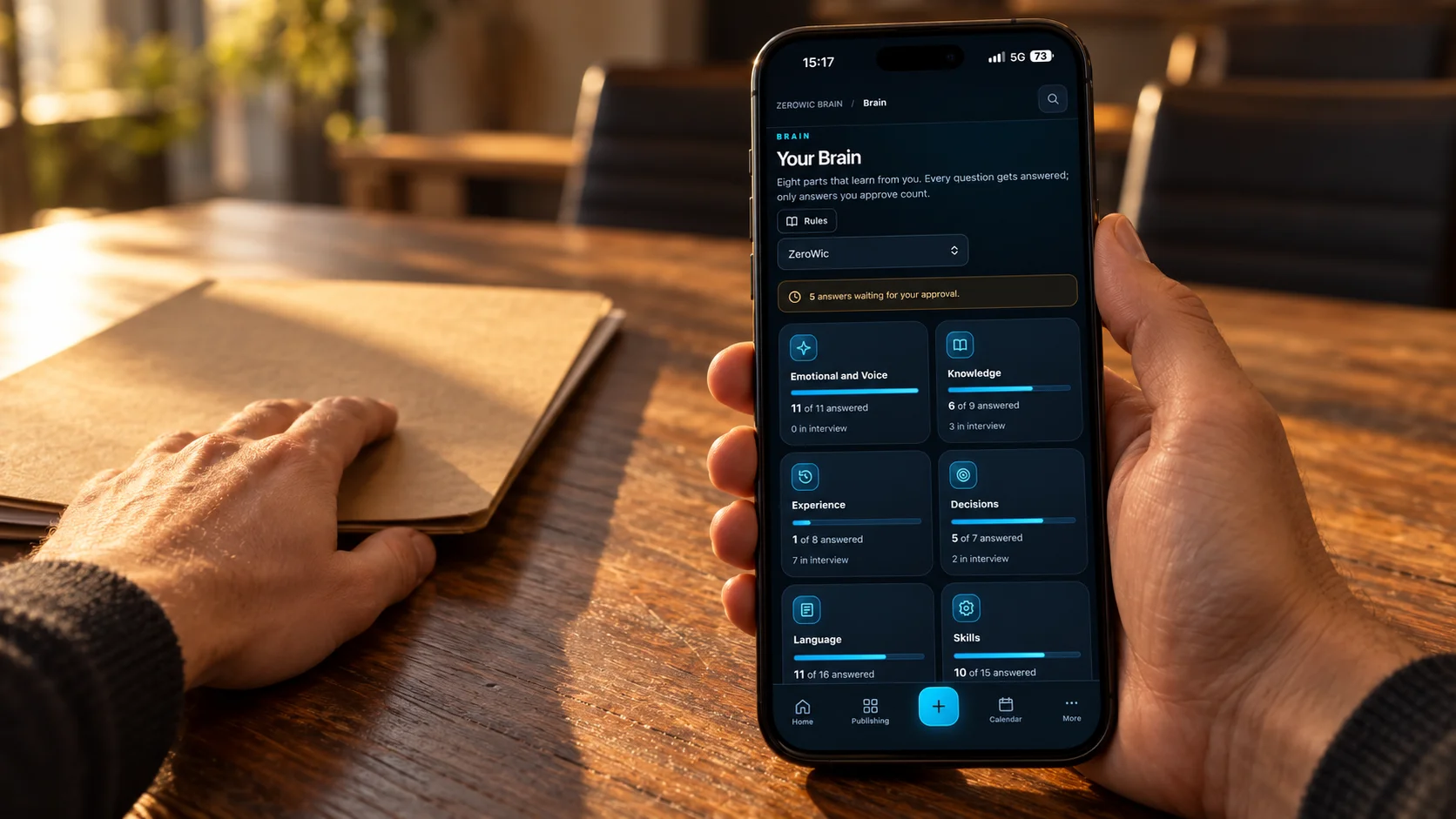
The learning review already has separate places for approved knowledge, answers waiting for me and questions still to answer. If I ask for an answer again, the existing approved answer stays available until I approve its replacement. That gives me an overview of what the Brain knows while we continue developing it. My own projects and client work also need their own context and rules.
I will explain those parts separately: the learning process, how posts move through review, how I request a rewrite, and how different projects are organised. This first article is the route into that story.
For someone working across several AI tools, I think the useful question is where the shared information lives, and how everyone knows which version to use. That was the practical problem behind my app.
I started by carrying information between separate rooms. Google Drive gave us a shared place to put it. Building the Brain is giving that information a structure I can work with and change.
There are still bugs, questions and things to test. But I am already doing work I would have struggled to organise on my own, and learning through the process.
The next part I want to share is how the Brain learns, and how I keep a say in what becomes part of it.
More from this project
The personal reflection: Too Many AIs, Only One of Me